
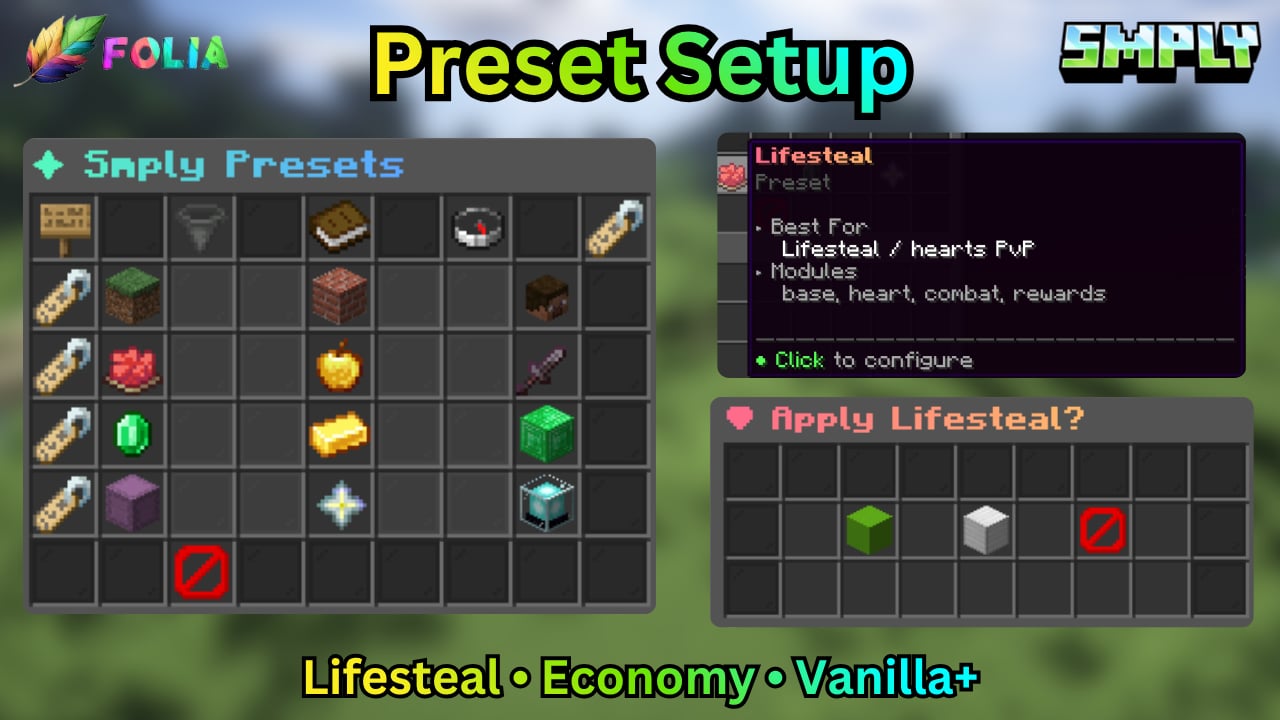
/smply setup, or the admin desk:
smply.preset.apply
How apply works
- First apply (or switching to a different blueprint) writes overlay keys.
- Reapply of the same blueprint fills missing keys only. Your max hearts, HUD, kits, and shop edits stay.
--modules-onlychanges enabled modules and touches no YAML.--resetrestores official overlay values.
Shipped presets
/smply setup is a searchable 54-slot browser: family filter Vanilla / Lifesteal / Economy / Other, tag search, recommended sort.
Blueprint files
Vanilla+ and Creator rewrite
hud.yml (mint {server_name}, no hearts). BoxSMP and full_suite stay module-set only until they ship fuller overlays.
Applying a preset with gui_style writes gui.yml style once. Your later edit or /smply reload wins.
Smply does not write LuckPerms groups. Copy the snippet on Integrations. /smply doctor warns if LuckPerms or Vault is missing for that preset.