
hud.yml. Players can toggle the sidebar from profile settings.
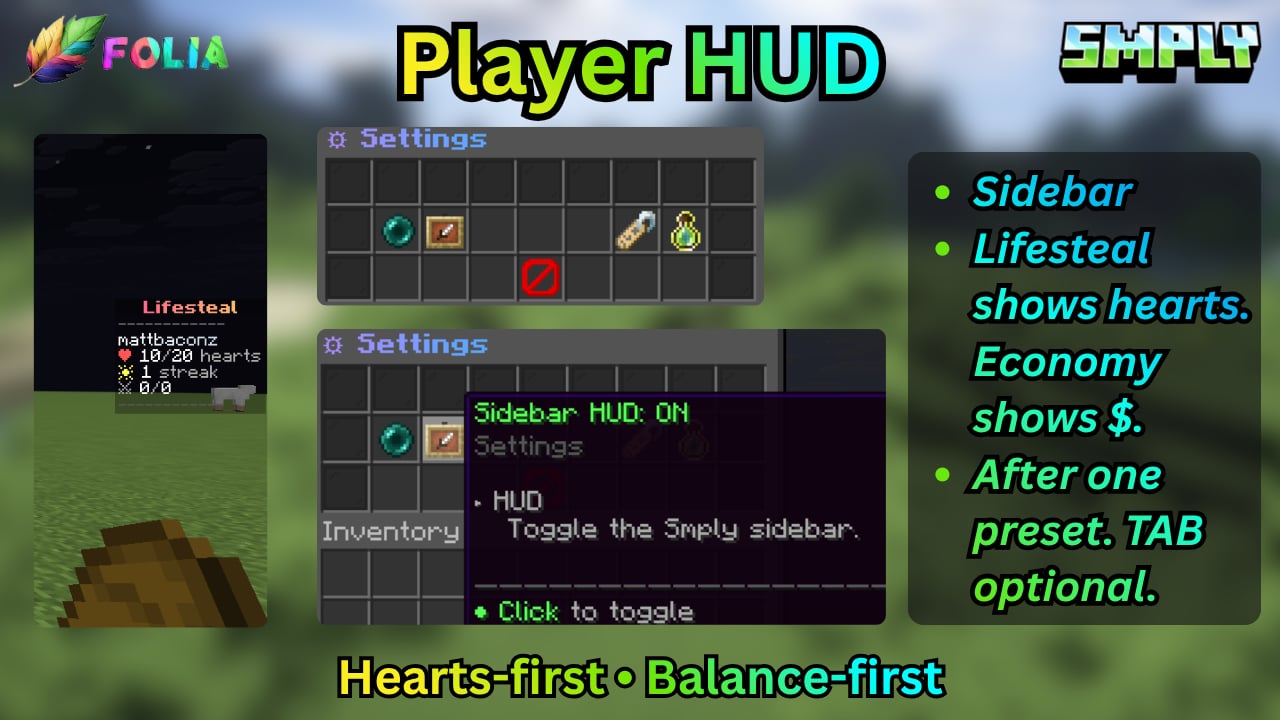
Sidebar
The HUD module must be enabled (Vanilla+, Lifesteal, and Economy presets turn it on).- Lifesteal blueprint: hearts-first lines, no
$ - Economy blueprint: balance-first, farm → sell → shop
- Vanilla+: mint
{server_name}, no hearts
hud.yml lines include {player}, {server_name}, {hearts}, {balance}, {bounty}, {daily_streak}, {kills}, {deaths}, {playtime_minutes}, {preset}.
Set hud.use_placeholderapi: true to mix %placeholders% after those tokens. Lines that mention {hearts}, {bounty}, or {balance} are omitted when that module or economy is off.
Vanilla score numbers on the sidebar are hidden. Body labels use <gray> so they stay readable on the dark sidebar.
Do not enable TAB’s own scoreboard if you want this sidebar.
Tablist
Without TAB, Smply draws MiniMessage header/footer fromhud.yml → tablist:.
With TAB installed, leave tablist.defer_to_tab: true (default). Smply skips its header/footer and you wire %smply_*% in TAB instead.
Example footer line:
%player% for the viewer name. See Placeholders.
Profile toggles
/profile (permission smply.profile.settings) lets each player turn the sidebar off, and can disable teleport titles/bossbar when teleport.yml allow_player_disable is true.