
Requirements
- Server software: Paper
1.21.4or26.1.2 - Java: 21 or newer. Paper 26.1 servers need Java 25
- PRO only: a licence key, and internet access from the server at startup
- Optional: Vault plus an economy plugin for money rewards and
earngoals
Pick your jar
Run one jar, not both. Both use the same
plugins/FirstHour/ folder, so you can move from Lite to PRO by swapping the jar. Your players, paths and settings stay.
Install FirstHour Lite
1
Add the jar
Stop the server and put
FirstHour-Lite-1.0.1.jar in plugins/.2
Start the server
FirstHour writes
plugins/FirstHour/ with config.yml, messages.yml and a paths.yml that holds the Survival preset.3
Check the console
You should see a line like
FirstHour Lite 1.0.1: 1 path, 6 steps, native dialog. On 1.21.4 it says chat welcome instead.4
Join as a new player
New players get the welcome screen two seconds after their first join. To test it on your own account, run
/firsthour reset <yourname> while online.Install FirstHour PRO
1
Add the jar
Stop the server and put
FirstHour-PRO-1.0.1.jar in plugins/.2
Start once
FirstHour writes
plugins/FirstHour/. Without a key, PRO stops itself and the console asks for one. That is expected on the first start.3
Get your licence key
Join the Discord, run
/verify to link your purchase, then run /claim FIRST_HOUR.4
Paste the key
Open
plugins/FirstHour/config.yml and paste the key into license_key.5
Restart
Start the server. The console prints
Licence verified. and then FirstHour PRO 1.0.1: ....plugins/FirstHour/config.yml
How the licence check works
- On startup, FirstHour PRO sends your key to the licence server (
matt-drm.vercel.app) with a machine ID built from the server’s public IP (looked up atcheckip.amazonaws.com), OS and system user name. - If the licence server can’t be reached, it tries three times in total. After that it starts only if this same key was verified in the last 72 hours. That record lives in
plugins/FirstHour/license-cache.ymland stores a hash of the key, never the key itself. - An invalid key never starts, cache or not.
Join Discord
Run
/verify, then /claim FIRST_HOUR to get your key.Load a preset
FirstHour starts with the Survival preset. To switch:paths.yml is saved as paths.yml.bak first. Economy SMP and Lifesteal are PRO presets. See Paths and step types.
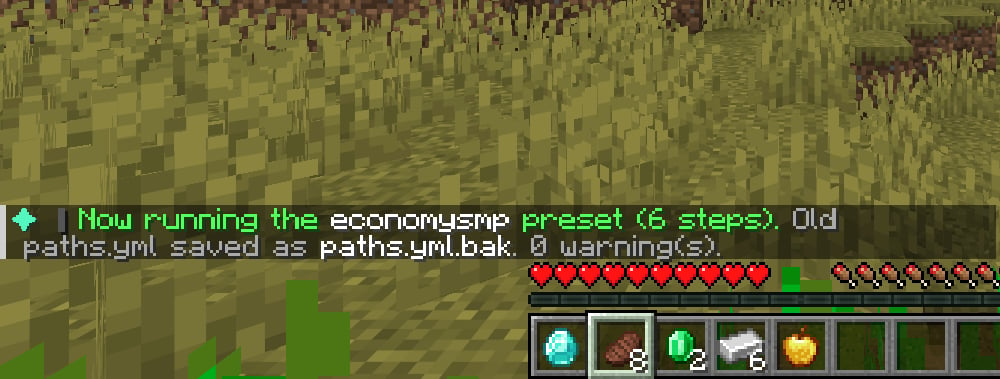
The Economy SMP preset has a
go_to step at world, 0, 64, 24. Point it at your spawn shops before you go live.Adding it to a live server
Players FirstHour has never seen, who already have 30 or more minutes of playtime, count as veterans. They get no path and do not show up as new players in your stats. Change the limit withnew-players.auto-skip-playtime-minutes. See Configuration.