
/firsthour stats answers the question every owner has: are new players staying, and if not, where do they quit?
It needs firsthour.admin. Players opening it get the menu and a chat summary. The console gets the chat summary.
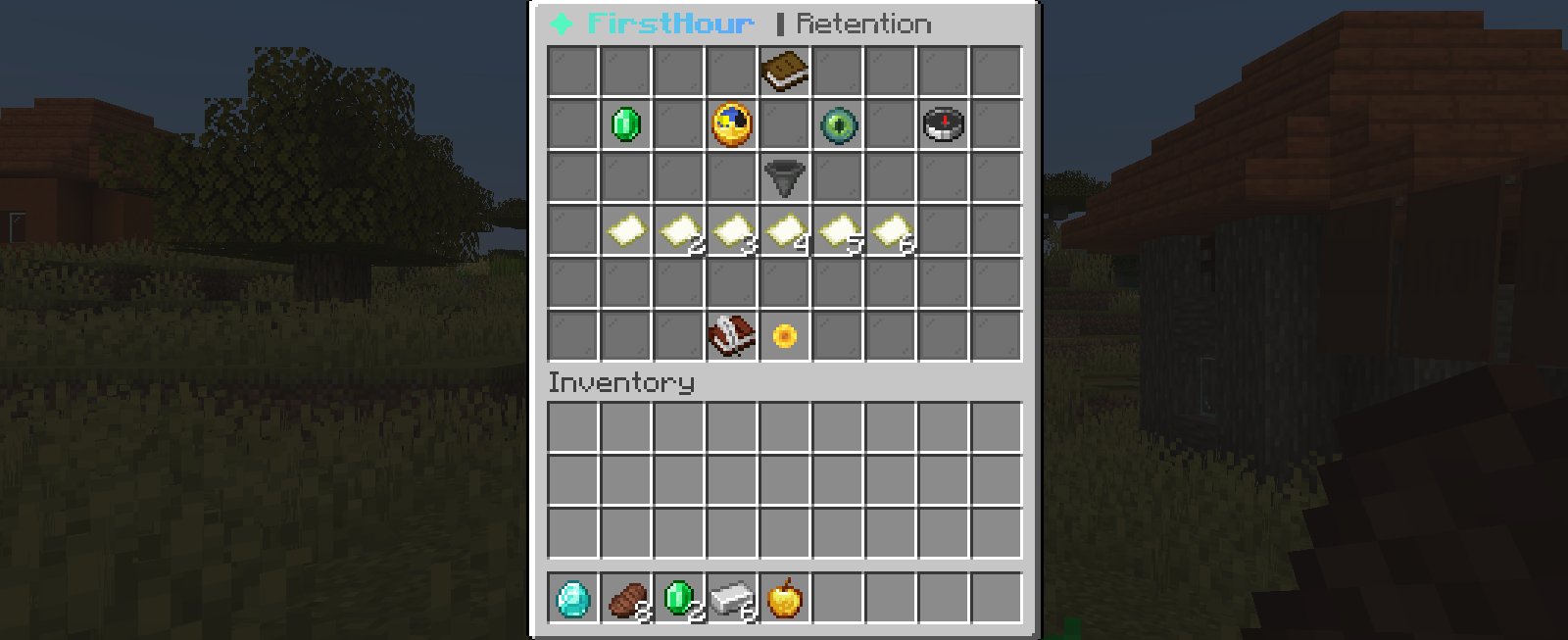
What it shows
Every number covers new players whose first join was in the last 30 days. Veterans don’t count.
On Lite, the PRO items show as locked barriers for admins. Hide them with
pro-hints: false.
Fair rates
Rates only count players whose window has closed. Someone who joined an hour ago can’t have come back yet, so they don’t drag the Day-1 rate down. The lore shows both counts: how many came back, out of how many players whose window has closed. Until anyone’s window has closed, the rate readsn/a.
The step funnel (PRO)
Each goal on the path gets one item, in order. The stack size is the goal number. The lore shows:- the step type
- Reached: players who got to this goal, and the share of everyone who started
- Quit here: players who stopped on this goal
REDSTONE_BLOCK by default) with the tip “Make it easier or move it later.”
The funnel has 14 slots by default. A longer path shows its first 14 goals; add slots under stats-menu.funnel-steps.slots to show more. Players who skipped the path stay out of the funnel.
Chat summary
/firsthour stats chat prints the summary without the menu. It’s also what the console gets.
paths.yml. The tags in the example above are filled in with your numbers; edit the lines under stats.chat in messages.yml.
Cohorts (PRO)
/firsthour stats cohorts lists the last 14 join dates in chat, one line each:
CSV export (PRO)
/firsthour stats export, or the Export CSV item in the menu, writes one row per join date for the last 30 days to the file below. Days with no new players have no row.
Open it in any spreadsheet to track retention over time, or to compare before and after a path change.
Menu layout
Every item’s slot and material is inconfig.yml under stats-menu. Names and lore are in messages.yml under stats. See Stats menu.
How the data is stored
FirstHour keeps one row per player inplugins/FirstHour/players.db (SQLite). Saves run off the main thread every 10 seconds and when a player leaves. Opening the dashboard saves pending changes first, so the numbers are current.